All features

Staff order entry, QR self-ordering, online reservations, table management, sales analytics — everything restaurants need, in one place.

01 · Ordering

QR Self-Ordering

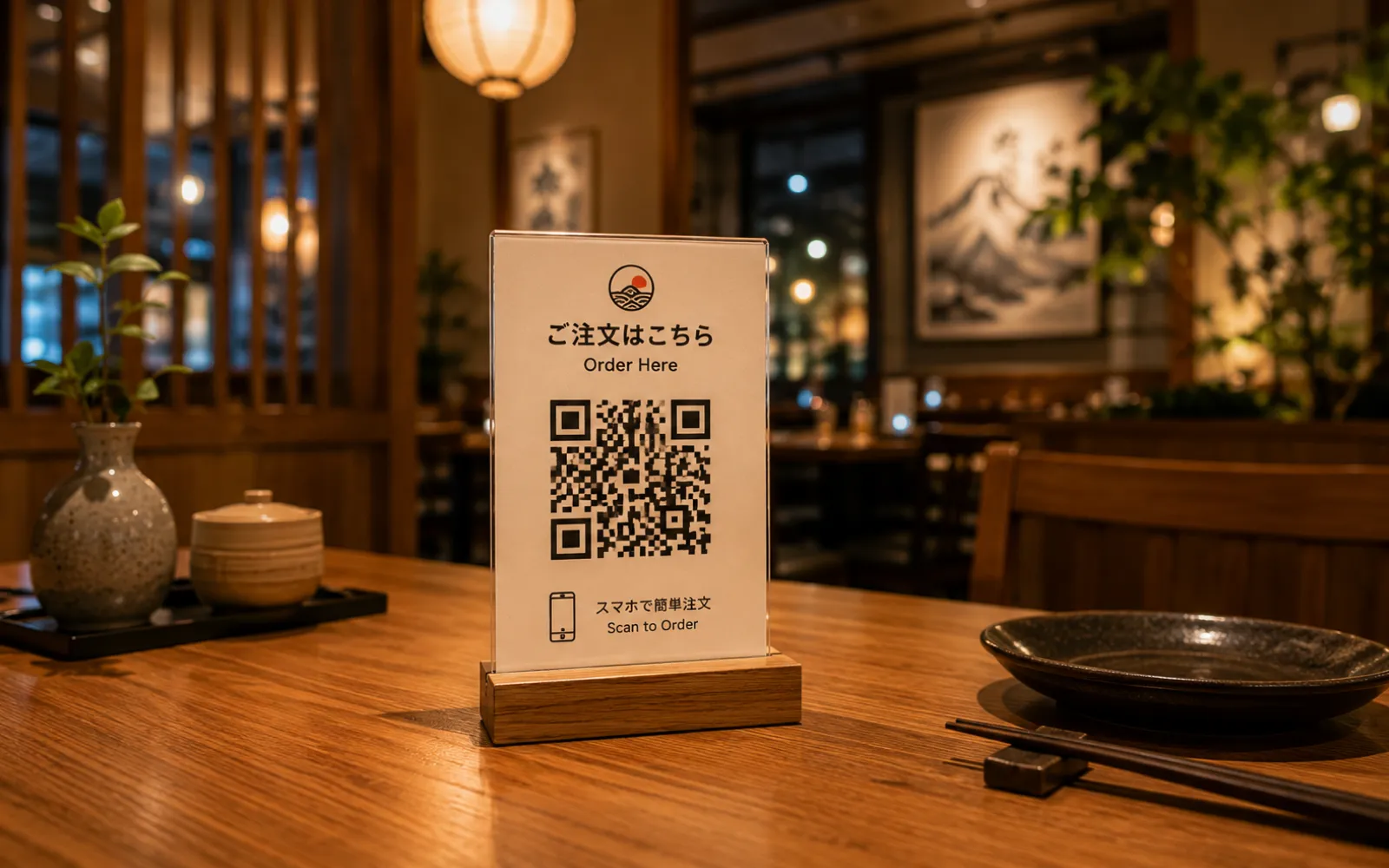
Each table gets a unique QR code. Guests scan and order from their own phone — a complete self-ordering system.

  • Unique QR per table
  • Multilingual menu (JP/EN)
  • Options & customizations
  • Order history saved automatically
  • Real-time staff notifications
Customer scanning a QR code on a restaurant table
02 · Reservations

Online Reservation Management

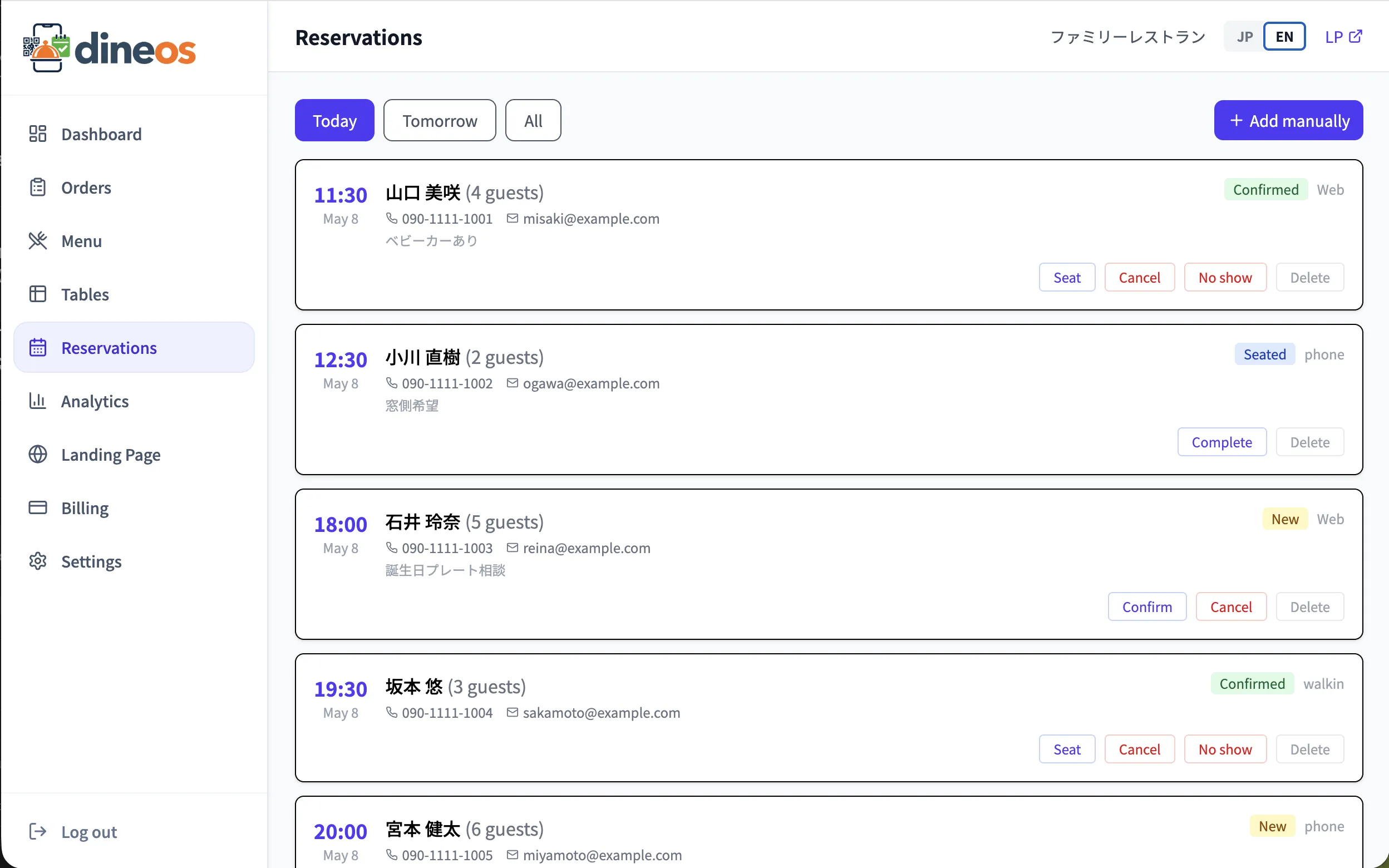
Online, phone, and walk-in reservations — all on one screen.

  • Online reservation form
  • Availability checks by time slot
  • Manual entry (phone/walk-in)
  • Reservation status management
  • Reservation notes
Reservation management screen
03 · Floor

Table Management

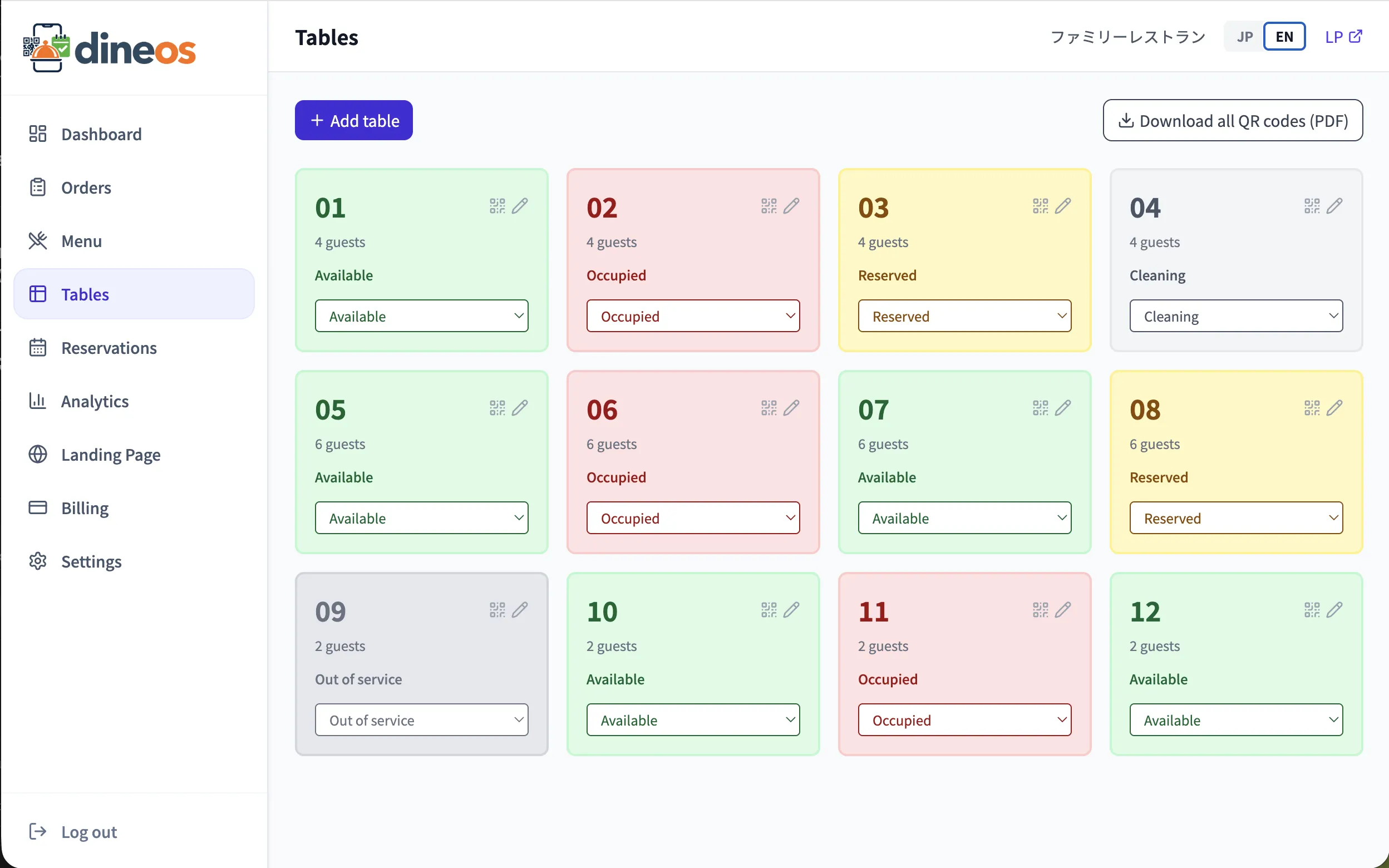
Manage every table in one list. Status changes propagate instantly.

  • Table list management
  • Status management
  • Auto-generated QR per table
  • Capacity settings
Table management screen
04 · Staff

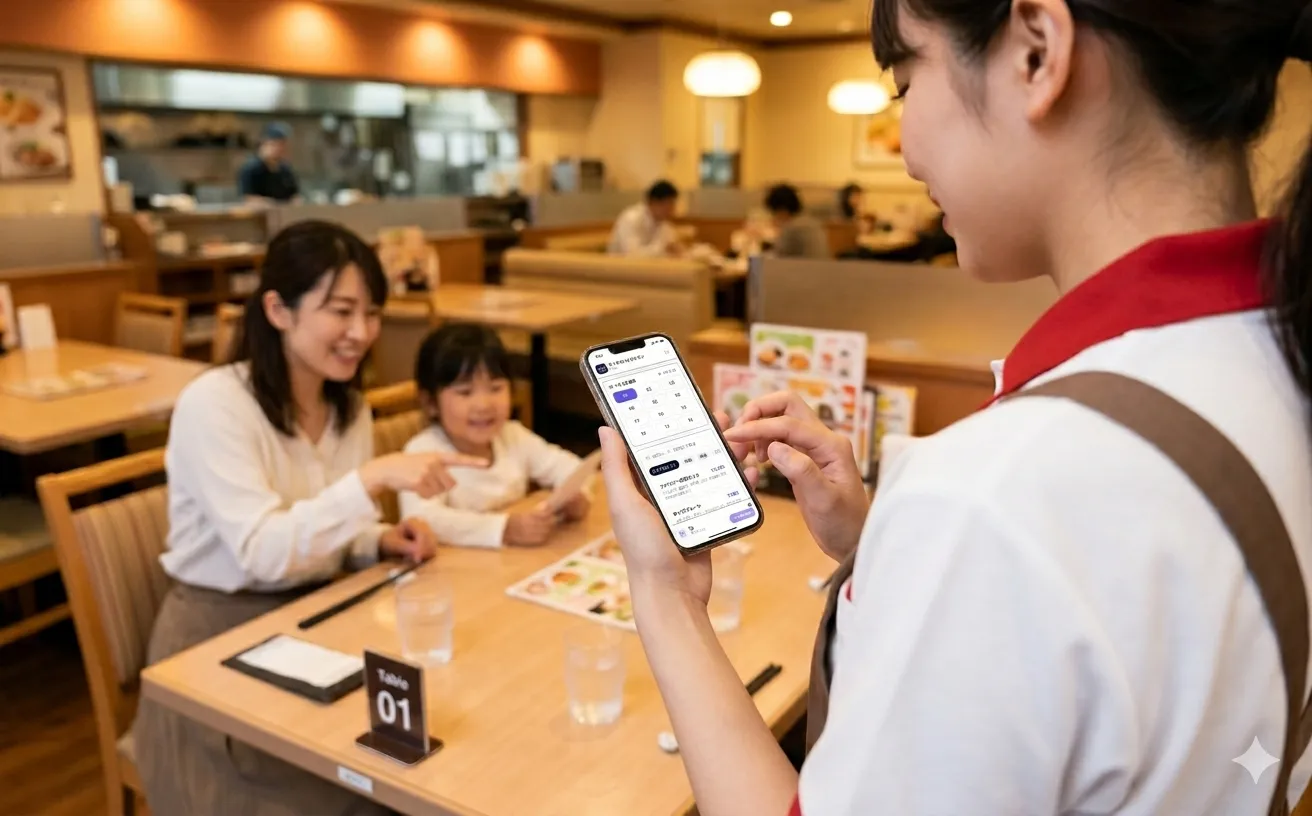
Staff Order Entry App

Smartphones and shared devices can be used for staff order entry — a browser-based order-entry system (OES). No need to buy expensive dedicated handheld terminals. Works alongside QR self-ordering.

  • Per-staff accounts
  • 4-digit PIN login (with brute-force lockout)
  • Add to home screen and use like an app
  • Search by item code or name
  • Orders tagged by staff member
  • Works alongside QR self-ordering
  • No dedicated hardware
Staff member using the Dineos staff order entry app on a smartphone
05 · Menu

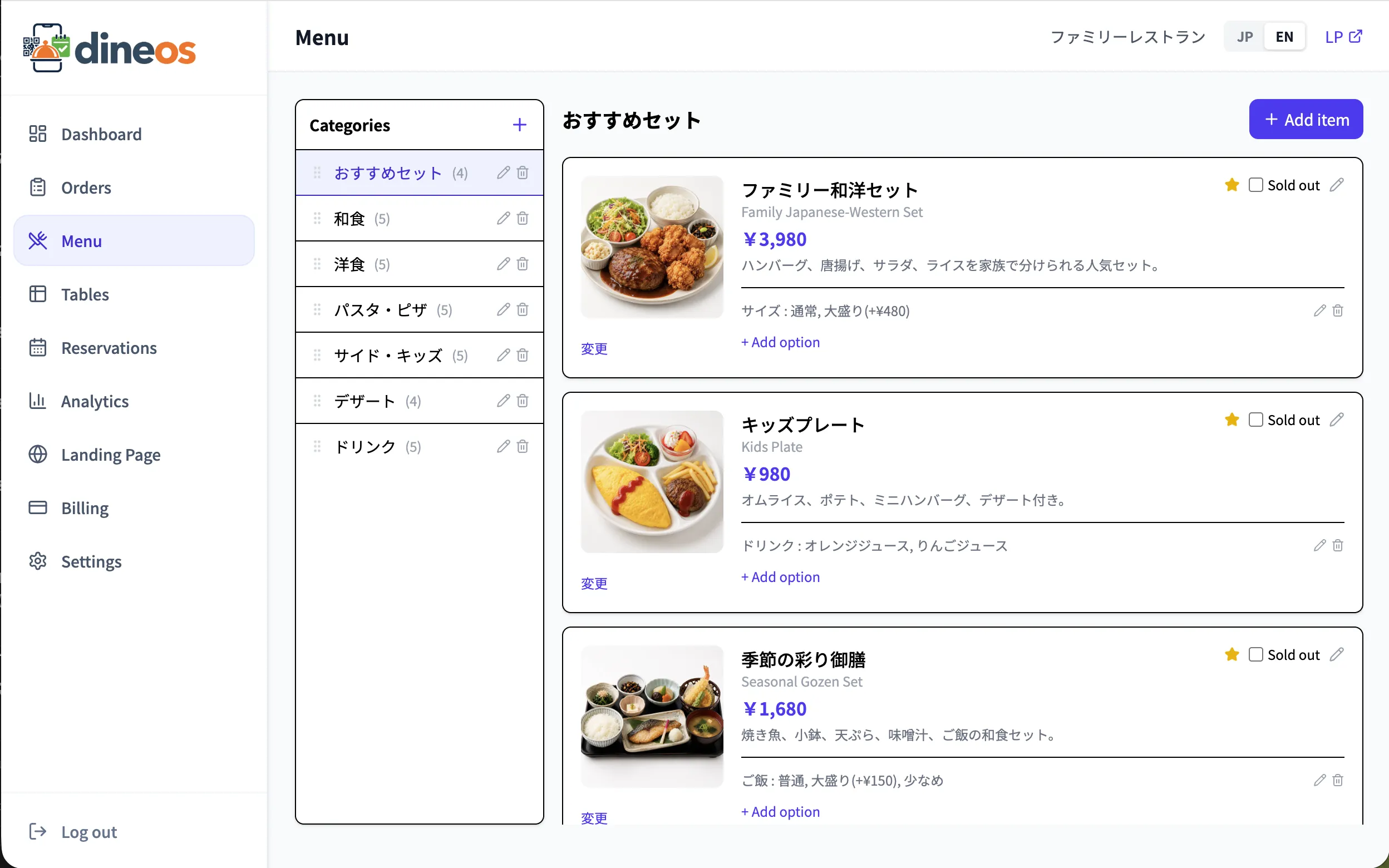
Menu Management

Categories, items, and options — managed intuitively. Images, prices, descriptions in one screen.

  • Hierarchical categories & items
  • Image upload
  • Option groups (required/optional)
  • Sold-out flag
  • Recommended/popular tags
Menu editor screen
06 · Analytics

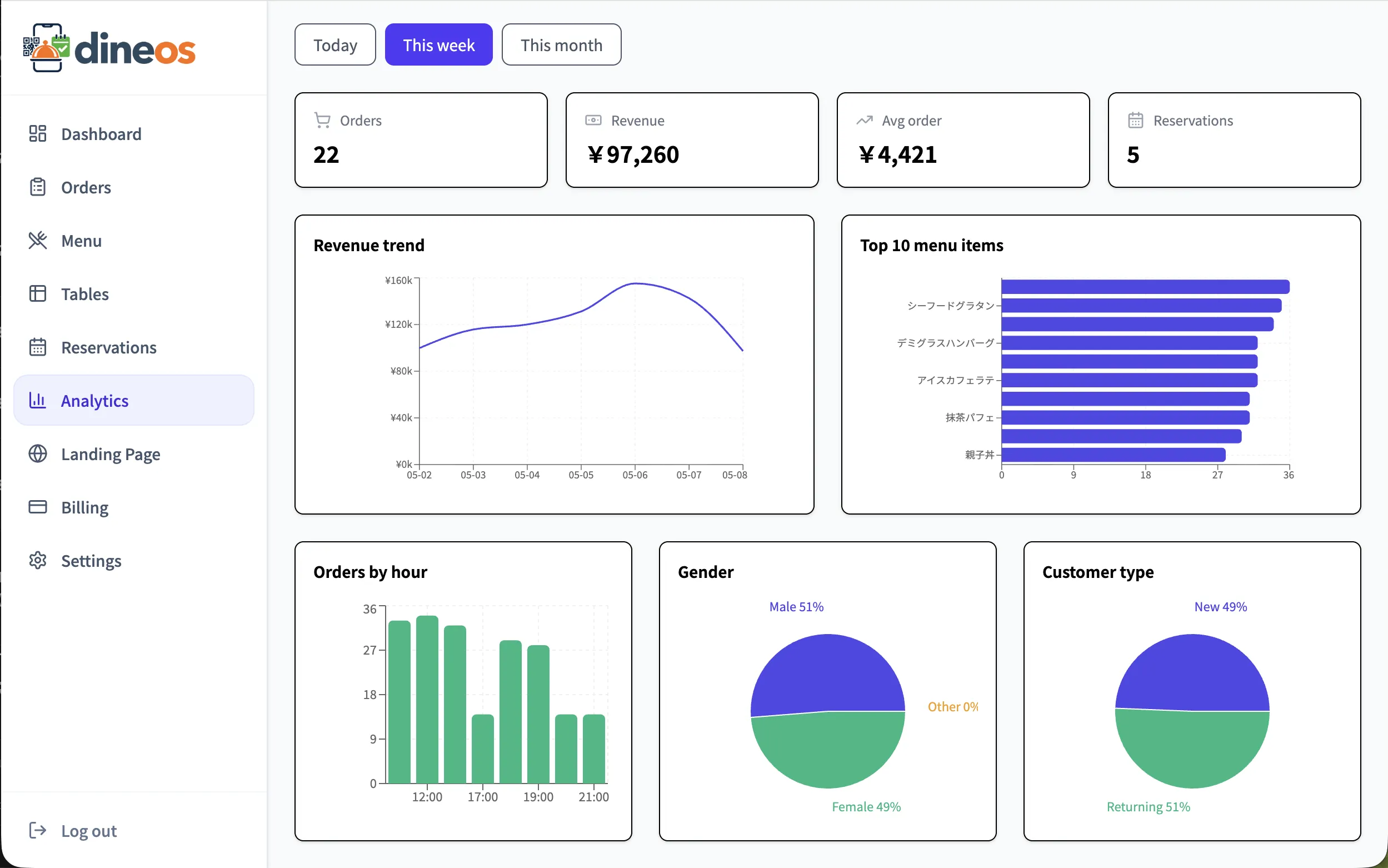
Sales Analytics Dashboard

Daily/weekly/monthly revenue, popular items, peak hours, reservation trends — auto-reported.

  • Revenue trend chart
  • Popular item ranking
  • Hourly order distribution
  • Reservation analytics
  • Customer analytics
Analytics dashboard screen
07 · Real-time

Real-time Sync

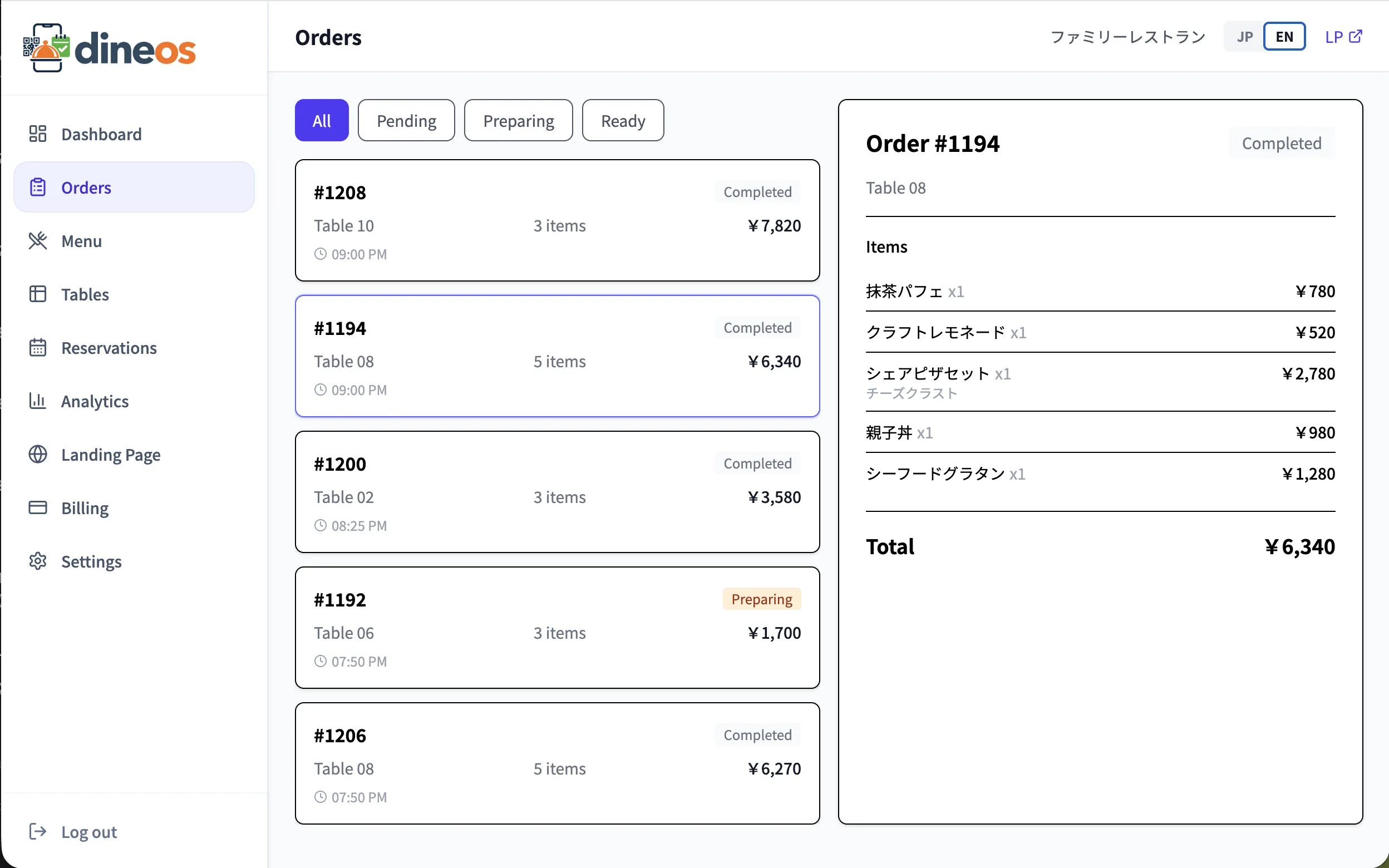
WebSocket keeps every device in sync. Sound + notifications for new orders.

  • Instant new-order alerts
  • Browser notifications + sound
  • Multi-staff sync
  • Auto-reconnect
  • Recovery after temporary connection drops
Real-time order notification screen
08 · Restaurant page

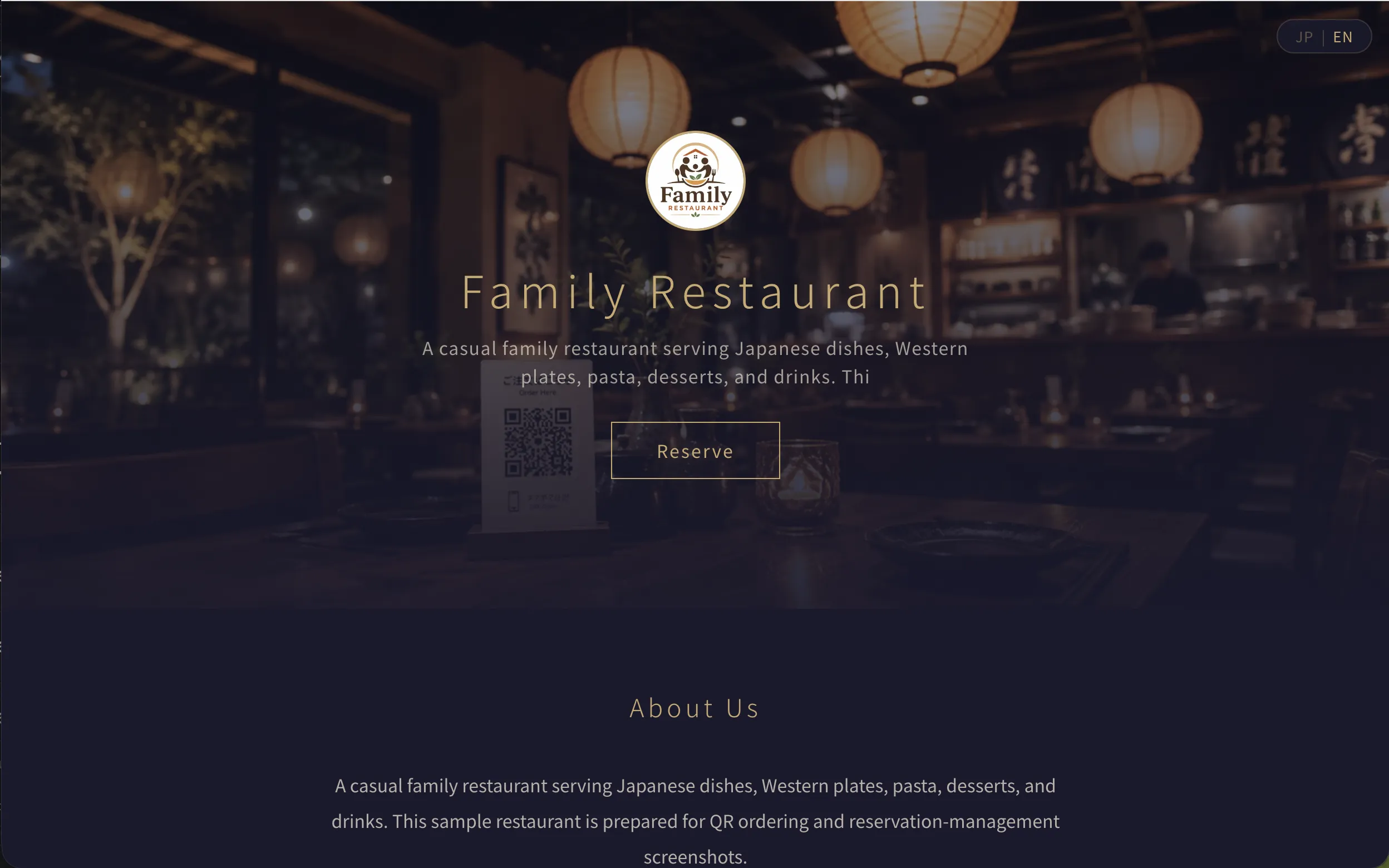
Auto Restaurant Page (Landing Page)

Just sign up and your restaurant gets a website. Choose from 6 themes.

  • Subdomain dedicated URL
  • 6 themes
  • Color & font customization
  • Auto menu & photo display
  • Embedded reservation form
Restaurant landing page preview

Try every feature.

No setup fee, no device cost, and first 3 months at ¥0/month. Try QR ordering, reservations, tables, and analytics in your restaurant.

Start 3 months free